



Autel Dragonfish Main Propellers – High Efficiency Replacement Blades
Choose options
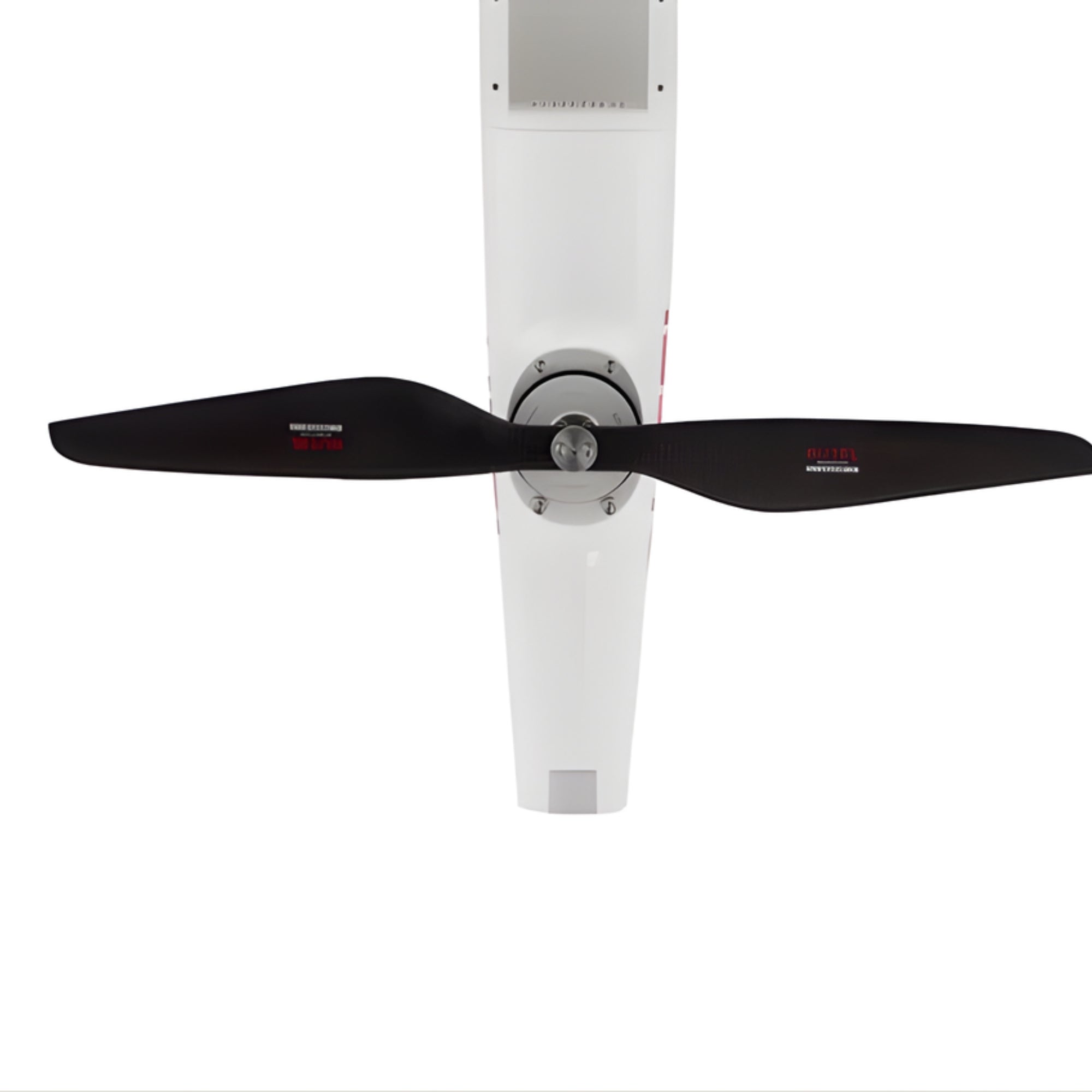
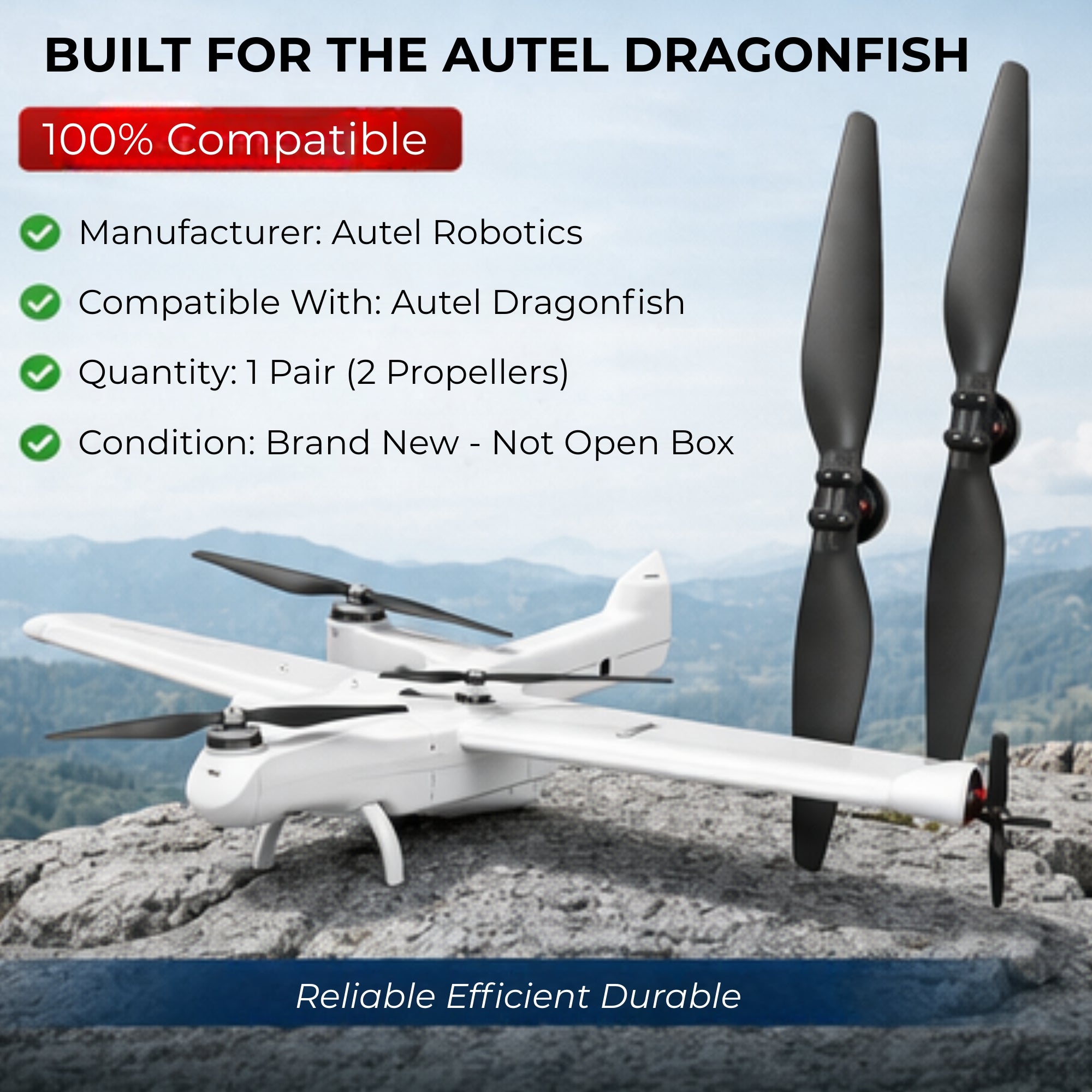
The Autel Dragonfish Main Propellers are designed specifically for the Autel Robotics Dragonfish UAV platform. This propeller set includes one pair of main propellers engineered to deliver efficient thrust, stable flight performance, and reliable operation for professional aerial missions. Manufactured by Autel Robotics, these propellers are built to meet the original equipment standards required for the Dragonfish system, ensuring compatibility and optimal aerodynamic performance. They are suitable for replacement or maintenance to keep the drone operating safely and efficiently.
Specifications
- Product Name: Autel Dragonfish Main Propellers
- Quantity: 1 Pair
- Manufacturer: Autel Robotics
- Compatibility: Autel Dragonfish
- Condition: New (Open Box: No)
Features
- Original Manufacturer Quality – Produced by Autel Robotics to match the exact specifications of the Dragonfish UAV.
- Optimized Aerodynamic Design – Engineered to provide stable lift and efficient propulsion during flight.
- Reliable Performance – Supports consistent drone performance for professional aerial operations.
- Perfect Compatibility – Designed exclusively for the Autel Dragonfish platform.
- Durable Construction – Built with high-quality materials for long-lasting operation.
Maintenance
To ensure optimal performance and safety when using the Autel Dragonfish Main Propellers:
- Regular Inspection: Check propellers for cracks, bends, or surface damage before each flight.
- Proper Installation: Ensure the propellers are correctly mounted and securely fastened according to manufacturer guidelines.
- Clean After Use: Remove dust, debris, or moisture after operation to maintain performance.
- Replace When Worn: If any visible damage or wear appears, replace the propellers immediately to prevent flight instability.
- Proper Storage: Store propellers in a dry, safe environment away from extreme temperatures and direct sunlight.
Autel Dragonfish Standard FAQ
What is the maximum payload capacity of the Dragonfish?
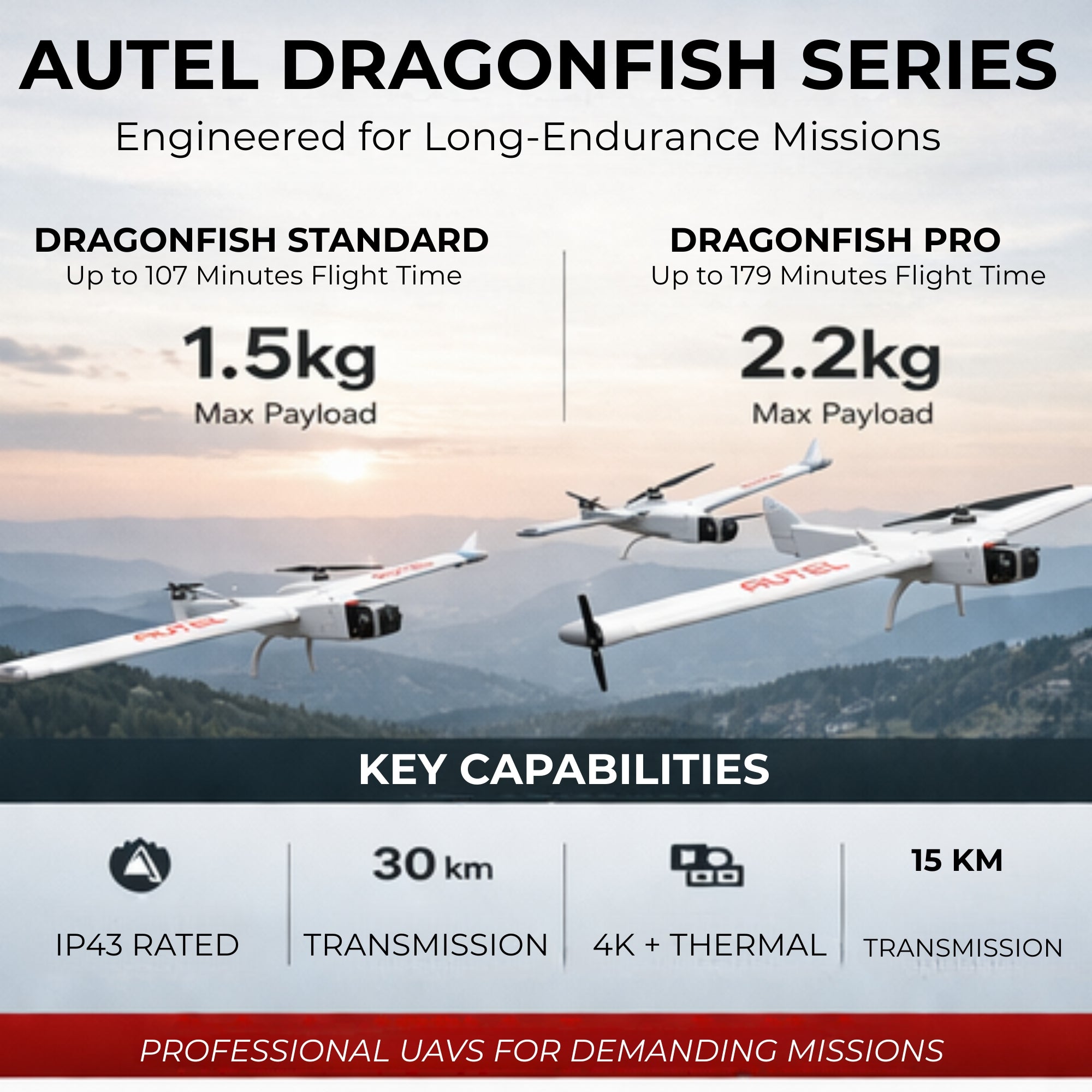
- Dragonfish Standard: Maximum payload weight is 1.5 kg.
- Dragonfish Pro: Maximum payload weight is 2.2 kg.
Are the blades removable?
The blades on both sides of the wings are quick-release and can be easily removed and stored. The blades at the front and rear generally do not need to be removed. If replacement is required, a tool set is needed.
What is the ingress protection (IP) rating? Can it fly in rain?
The Dragonfish has an IP43 rating and can operate in light to moderate rain.
What is the maximum flight time?
- Dragonfish Standard: Up to 107 minutes.
- Dragonfish Pro: Up to 179 minutes.
What is the effective image transmission range?
- With base station: Up to 30 km
- Ground station only: Up to 15 km
What is the resolution of the Dragonfish gimbal camera?
Dual-Lens Camera
- 4K UHD optical zoom camera with 20× optical zoom and 12× digital zoom
- 48 MP high-resolution wide-angle camera
Triple-Sensor Camera
- 4K UHD optical zoom camera with 20× optical zoom and 12× digital zoom
- 48 MP wide-angle camera
- 640 × 512 infrared thermal camera with up to 2000 m detection range
Can the gimbal mount be replaced?
Yes. The gimbal mount is replaceable. Currently, Dragonfish supports dual-lens and triple-sensor cameras, with additional mounts potentially available in the future.
If the batteries have different charge levels, can the aircraft take off?
- If the difference is less than 12%, takeoff is allowed.
- If the difference is greater than 12%, the app will display “Battery power difference is too large” and takeoff will not be permitted.
Can the battery be carried on an airplane?
The battery has a 277.2 Wh rating, which cannot be carried on board aircraft according to airline regulations.
Can the battery operate in low temperatures?
Operating temperature range: -20°C to 40°C.
Low temperatures reduce performance, so plan flight time accordingly.
For best performance, keep battery temperature above 15°C before flight.
If charging between -20°C and 5°C, the battery automatically activates its self-heating function before charging.
How should the battery be maintained?
- Charge and discharge both batteries together.
- Allow batteries to cool to room temperature before charging.
- Ideal charging temperature: 15°C – 40°C.
- Ideal storage temperature: 22°C – 28°C, dry environment.
- If unused for 10+ days, discharge to 20–30% before storage. Recharge every 3 months.
How long does it take to charge the batteries?
- Single battery: ~120 minutes
- Two batteries: ~240 minutes
Does the ground station have internal storage?
Yes. It includes 256 GB internal storage.
What is the operating temperature of the ground station?
-20°C to 40°C
What is the battery life of the ground station?
- 3 hours at maximum brightness
- 4.5 hours at 50% brightness
How long does it take to charge the ground station?
Approximately 120 minutes.
What are the screen specifications?
- 9.7-inch touchscreen
- 2048 × 1536 resolution
- 1000 nits brightness
What video output interface is available?
The ground station provides an HDMI output interface.
Can the Dragonfish ground station be used with other products?
No. It is designed specifically for Dragonfish systems.
What is the operating duration of the base station?
More than 7.5 hours on a full charge.
How long does it take to charge the base station?
Approximately 120 minutes.
What is the positioning accuracy of the base station?
Single Point Mode
- Horizontal: 1.5 m (RMS)
- Vertical: 3.0 m (RMS)
RTK Mode
- Horizontal: 1 cm + 1 ppm (RMS)
- Vertical: 1.5 cm + 1 ppm (RMS)
What navigation systems are supported?
Supports multiple GNSS systems simultaneously:
- GPS: L1, L2, L5
- BeiDou: B1, B2, B3
- GLONASS: F1, F2
- Galileo: E1, E5A, E5B
Which software application is supported?
Currently supports the Autel Voyager App.
How do you upgrade the firmware?
Method 1 – USB Upgrade
- Power on aircraft, ground station, and base station.
- Download firmware from Autel official website.
- Copy firmware to a USB drive.
- Insert the USB drive into the ground station and follow the on-screen instructions.
Method 2 – Online Upgrade
- Power on and connect all devices.
- Connect the ground station to the internet.
- The system will automatically detect available updates.
- Download and select Upgrade.
- Wait for “Firmware Upgrade Complete”.
What industries can Dragonfish be used in?
Dragonfish is suitable for many professional applications, including:
- Law enforcement
- Forest fire monitoring
- Power line inspection
- Traffic monitoring
- Coastal security and anti-smuggling
- Agricultural monitoring
- Infrastructure inspection and more